Introduction
The job market in the technology industry has changed dramatically over the past few years. The rise of remote hiring, global talent competition, artificial intelligence in recruitment, and large-scale automation in human resource departments have completely transformed how companies hire software professionals.
In 2026, applying for jobs in software development, DevOps engineering, cloud computing, automation testing, cybersecurity, data engineering, backend development, frontend development, and full-stack engineering is far more competitive than ever before.
A single software engineering job posting can receive hundreds or even thousands of applications within just a few hours.
Most job seekers believe recruiters manually review every resume submitted for a role. Unfortunately, this assumption is completely wrong.
Today, the majority of technology companies use automated recruitment software known as Applicant Tracking Systems (ATS) to filter resumes before a recruiter ever sees them.
This creates a serious challenge for candidates.
Even if you have excellent technical skills, years of experience, certifications, and strong project knowledge, your resume may never reach a recruiter if it is not optimized correctly for ATS systems.
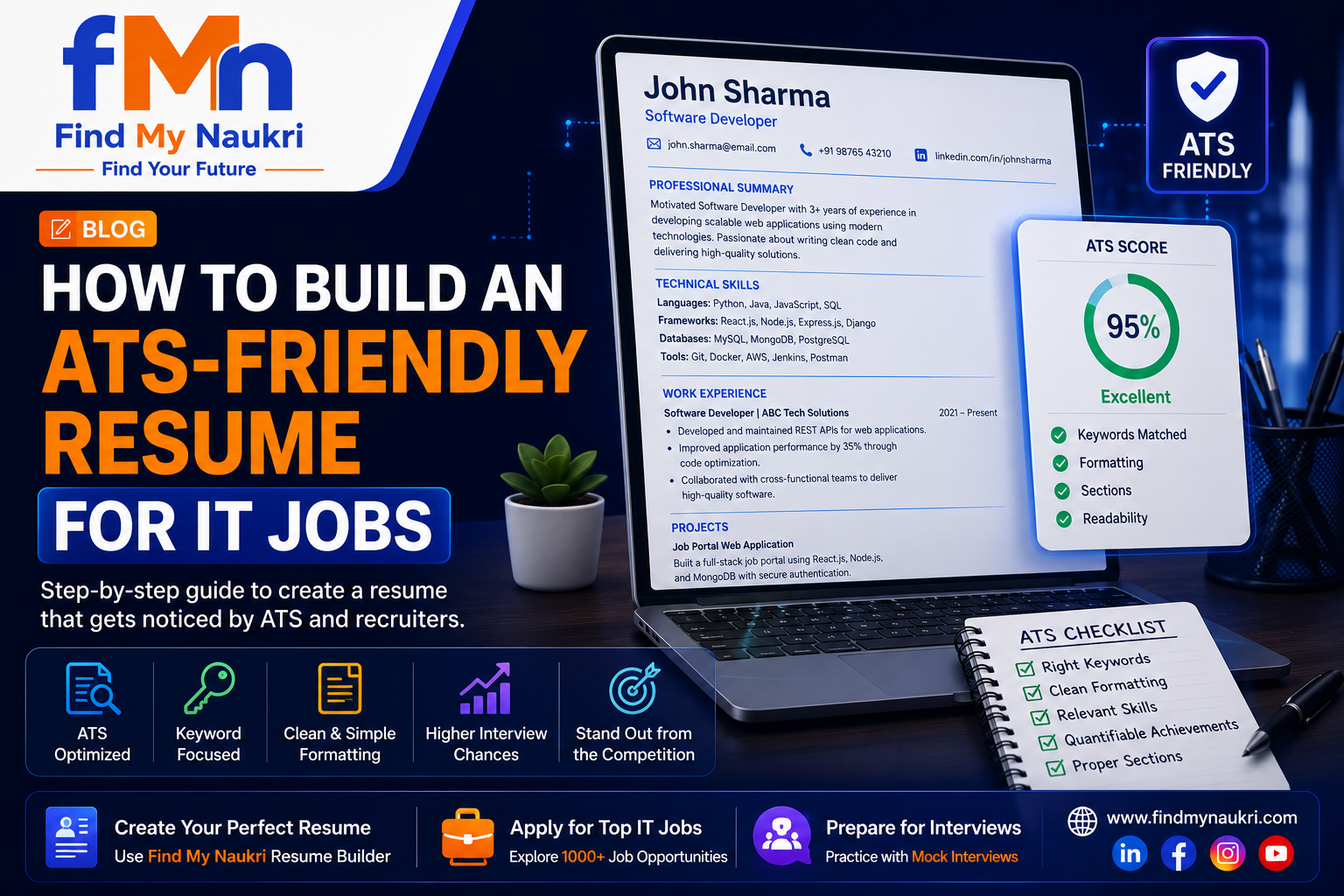
This is exactly why understanding how to build an ATS-friendly resume for IT jobs has become one of the most important skills for modern job seekers.
In this complete guide, we will deeply explore how ATS software works, how recruiters use resume scoring systems, how to structure a professional ATS-friendly resume, what mistakes candidates commonly make, and how you can dramatically improve your interview conversion rate.
What is an ATS-Friendly Resume?
An ATS-friendly resume is a resume specifically designed so that Applicant Tracking Systems can easily scan, parse, understand, and evaluate the content accurately without encountering formatting problems.
Before understanding ATS-friendly resumes, it is important to understand why ATS systems exist.
Large technology companies receive extremely high application volumes.
Imagine a multinational company opening a position for a React Developer or AWS Engineer.
That single job posting may receive over 3,000 applications.
It is impossible for human recruiters to manually review every application.
To solve this problem, companies use ATS software to automatically filter resumes and identify candidates who closely match the technical requirements mentioned in the job description.
The ATS scans your resume and attempts to identify critical information such as:
- Full Name
- Email Address
- Phone Number
- Technical Skills
- Programming Languages
- Work Experience
- Project Experience
- Education
- Certifications
- Keywords matching job requirements
If your resume structure is poorly designed or missing relevant keywords, the ATS may reject your application automatically.
An ATS-friendly resume ensures that hiring software correctly reads your qualifications and assigns you a higher ranking.
Why ATS Optimization is Extremely Important for IT Jobs
Technology hiring works very differently compared to many traditional industries.
Recruiters hiring software engineers are usually looking for highly specific technical skills.
Unlike general hiring roles, IT recruitment depends heavily on exact skill matching.
For example, a company hiring a backend engineer may require:
- Laravel
- PHP
- REST API Development
- MySQL
- Docker
- AWS
- Redis
- GitHub Actions
If your resume says “Backend Development Experience” but does not explicitly mention Laravel, Docker, MySQL, and AWS, the ATS may assume you are not qualified.
Research shows that approximately 75% of resumes are rejected automatically before recruiters review applications manually.
This means your resume formatting and keyword strategy directly influence whether you receive interview opportunities.
In 2026, ATS optimization is no longer optional.
It is a mandatory requirement for serious job seekers.
How ATS Software Works
Understanding how ATS software processes resumes helps candidates build resumes strategically.
Most ATS systems follow a structured workflow when evaluating candidates.
Below is the complete ATS workflow used by modern hiring systems.
Step 1: Resume Upload Process
The ATS process begins when a candidate submits a job application through a company website, LinkedIn, job board, or career platform.
The uploaded resume enters a centralized hiring database where the system immediately begins automated screening.
Many candidates assume recruiters manually download resumes first.
In reality, ATS systems often begin evaluation within seconds after submission.
If the resume file format is incompatible, corrupted, poorly formatted, or contains unsupported design elements, the ATS may fail before analysis even begins.
Recommended file formats include:
- DOCX
- Simple Word Document
Step 2: Resume Parsing
After receiving the file, ATS software begins a process called parsing.
Parsing means extracting information from your resume and converting it into structured candidate data.
The ATS scans and separates multiple resume sections.
The software identifies:
- Candidate Name
- Email Address
- Phone Number
- LinkedIn Profile
- Technical Skills
- Education History
- Work Experience
- Project Experience
- Professional Certifications
If your resume uses complex layouts, unusual fonts, text boxes, tables, or graphic-heavy design, the ATS parser may incorrectly extract data.
For example:
If your email address is placed inside a design element or icon-based section, ATS may fail to detect it entirely.
Step 3: Keyword Matching Process
This is one of the most important ATS evaluation stages.
The system compares resume content against keywords mentioned in the job description.
Suppose a company posts a job requiring:
- React.js
- Redux
- JavaScript
- REST API Integration
- GitHub
- TypeScript
The ATS searches your resume for these exact keywords.
Candidates who include these skills naturally inside their resume usually receive higher scores.
Candidates using vague descriptions often receive lower rankings.
Example:
Bad:
Worked on frontend development projects.
Better:
Developed scalable frontend applications using React.js, Redux, JavaScript, TypeScript, and REST API integration.
Step 4: Resume Scoring Algorithm
After keyword analysis, ATS software assigns a score to your resume.
Different ATS systems use different ranking algorithms.
Typical scoring factors include:
- Keyword relevance percentage
- Years of relevant experience
- Project quality
- Certification relevance
- Technical skill match percentage
- Education qualification
- Resume structure quality
- Job title similarity
The closer your resume matches company requirements, the higher your ATS score becomes.
Step 5: Candidate Ranking
After scoring all applications, ATS software ranks candidates automatically.
Higher scoring candidates move forward for recruiter review.
Low scoring candidates may never be reviewed manually.
This is why ATS optimization directly determines whether you receive interview opportunities.
Step-by-Step Guide to Create an ATS-Friendly Resume
Step 1: Carefully Analyze the Job Description
One of the biggest mistakes candidates make is using the same resume for every job application.
Every company uses different technologies and different hiring requirements.
Before applying, carefully study the entire job description.
Identify important technical requirements.
Pay attention to programming languages, frameworks, cloud platforms, testing tools, databases, and deployment technologies.
This becomes your keyword strategy.
Step 2: Extract Important Technical Keywords
Modern ATS systems rely heavily on keyword matching.
You should identify every important technical term mentioned by the employer.
Examples include:
- React.js
- Angular
- Laravel
- Node.js
- AWS
- Kubernetes
- Terraform
- Docker
- Selenium
- PostgreSQL
- CI/CD Pipeline
These keywords should appear naturally in your resume.
Step 3: Build a Strong Professional Summary
Your professional summary is one of the first sections ATS systems analyze.
This section should immediately communicate your experience and technical specialization.
Example:
Software Engineer with 4 years of experience building scalable enterprise applications using Laravel, React.js, AWS, MySQL, Docker, and REST API architecture.
Avoid generic summaries such as:
Hardworking software engineer looking for growth opportunities.
Generic summaries do not help ATS scoring.
Step 4: Use Proper Technical Skills Section
A dedicated skills section is extremely important.
Recruiters and ATS systems both rely heavily on technical skill extraction.
Separate skills by category.
Example:
- Languages: PHP, JavaScript, Python
- Frontend: React.js, Angular, Vue.js
- Backend: Laravel, Node.js, Express.js
- Database: MySQL, MongoDB, PostgreSQL
- Cloud: AWS, Azure
- DevOps: Docker, Kubernetes, Jenkins
Step 5: Use Clean Resume Formatting
ATS systems struggle with visually complex resumes.
Avoid:
- Images
- Icons
- Text boxes
- Progress bars
- Charts
- Multiple columns
- Infographics
Use standard fonts such as Arial, Calibri, Helvetica, or Times New Roman.
Step 6: Write Measurable Work Achievements
Many candidates describe responsibilities instead of achievements.
Recruiters value measurable impact.
Bad example:
Worked on backend development.
Better example:
Built and deployed 30+ REST APIs using Laravel framework, improving application performance by 42%.
Numbers create stronger credibility.
Step 7: Highlight Technical Projects
Projects are extremely valuable for ATS scoring and recruiter confidence.
Each project should include:
- Project Name
- Technology Stack
- Problem Solved
- Your Contribution
- Business Impact
Example:
Developed an e-commerce application using React.js, Laravel, Redis, and MySQL handling 10,000 daily active users.
Step 8: Use Standard Resume Headings
ATS systems recognize standard headings more accurately.
Recommended sections:
- Professional Summary
- Technical Skills
- Work Experience
- Projects
- Education
- Certifications
- Achievements
Avoid creative section names that ATS may not recognize.
Step 9: Save Resume in Correct File Format
Always save resumes in ATS-compatible file formats.
Best formats:
- DOCX
Avoid:
- Image files
- Scanned documents
- Unstructured resume builders
Step 10: Check ATS Score Before Applying
Never apply without testing resume quality.
Use ATS resume analyzers to check:
- Keyword match percentage
- Formatting compatibility
- Missing skill keywords
- Section structure problems
- Resume readability score
Testing before applying significantly improves shortlisting probability.
Common Resume Mistakes That Reduce ATS Score
Many candidates unknowingly make serious resume mistakes.
Using Fancy Resume Templates
Design-heavy resumes often break ATS parsing systems.
Ignoring Technical Keywords
Missing required technologies reduces ranking dramatically.
Using One Resume Everywhere
Resume customization is critical for every application.
Writing Generic Experience
Specific technical details always perform better.
No Project Descriptions
Projects demonstrate real technical capability.
Using Images and Icons
ATS systems cannot reliably read design-heavy resumes.
Poor Grammar and Spelling Errors
Professional communication quality affects recruiter trust.
Best ATS Keywords for Different IT Jobs
| Job Role | Important ATS Keywords |
|---|---|
| Frontend Developer | React.js, JavaScript, Redux, API Integration |
| Backend Developer | Laravel, PHP, Node.js, REST API, MySQL |
| DevOps Engineer | AWS, Docker, Kubernetes, Terraform, Jenkins |
| Automation QA | Selenium, Cypress, Playwright, Postman |
| Cloud Engineer | AWS, Azure, Infrastructure, Terraform |
Frequently Asked Questions
What ATS score is considered good?
A resume score above 80% generally improves recruiter visibility significantly.
Can ATS read PDF resumes?
Yes. Properly formatted PDF and DOCX files work well.
Should freshers optimize resumes for ATS?
Absolutely. Freshers face strong competition and ATS optimization improves visibility.
Do graphics reduce ATS compatibility?
Yes. Charts, icons, design-heavy templates can cause parsing errors.
Can one resume work for every job?
No. Resume customization improves keyword matching significantly.
Conclusion
In the modern technology hiring ecosystem, technical skills alone are no longer enough to secure interviews.
Before recruiters evaluate your qualifications, ATS software acts as the first gatekeeper.
A poorly optimized resume can automatically reject even highly qualified candidates.
Understanding ATS systems, optimizing keywords, using proper formatting, writing measurable achievements, and customizing your resume for every job application dramatically increases success rates.
Your resume is not just a document.
It is your first opportunity to prove your professional value.
Building an ATS-friendly resume correctly can directly impact your career growth for years.